Do I need a Google Account to use the projector?
-
No, but if you do not log into a Google Account, you will not be able to access enhanced features and save a profile to the projector. See the instructions below to set up the projector without a Google Account.
Note: If you Factory Reset the projector, you will need to set up Google TV again.
- Turn on the projector.
- Follow the on-screen instructions to pair the remote, select your language, and region.
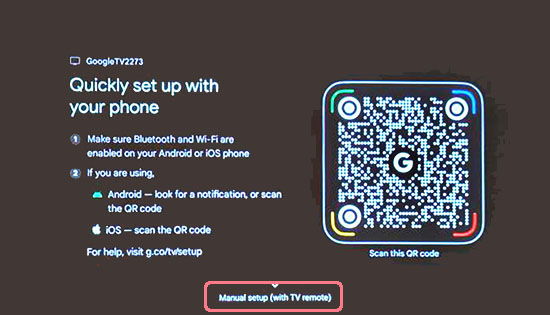
- Select Manual setup (with TV remote) when you see the following screen.
- When you see the screen that says “Select your Wi-Fi network,” select Skip to continue without connecting to the internet.
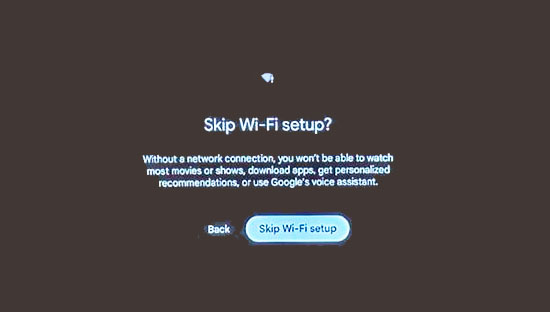
- Select Skip Wi-Fi setup.
- Follow the on-screen instructions to complete the manual setup. Once finished, the projector will be ready to use without an internet connection.
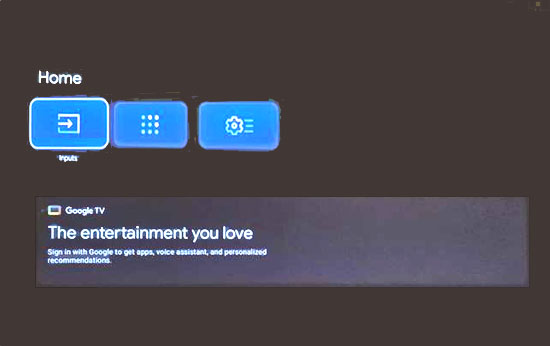
Note: To project from your input device, select Home > Inputs.
Published: Jan 22, 2026
Was this helpful? Thank you for the feedback!